Turn Complex Workflows into Visual Insights
Achieve full transparency across teams, sprints, and roadmaps with Agile project planning software.
✔ Free 14 days trial
✔ No credit card required


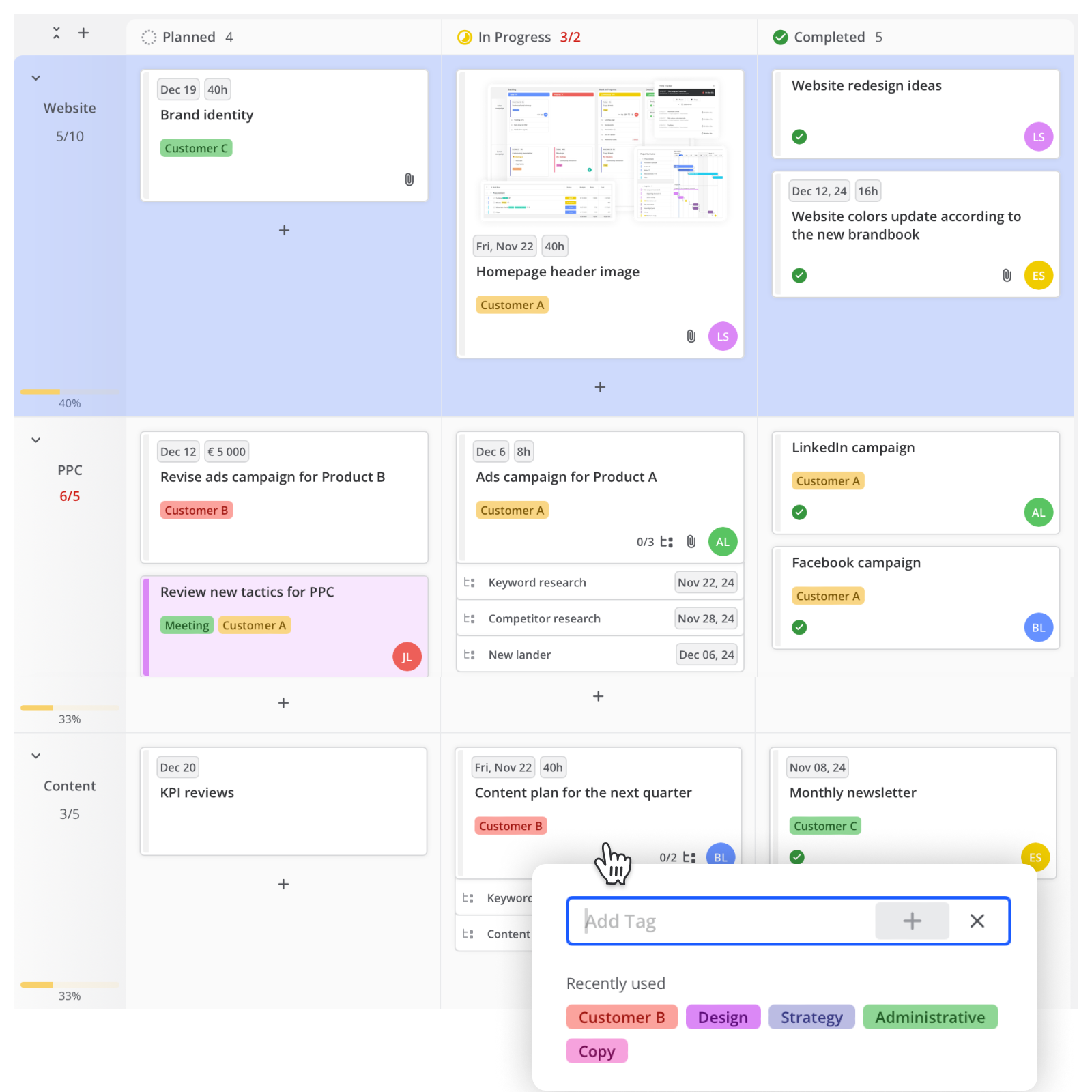
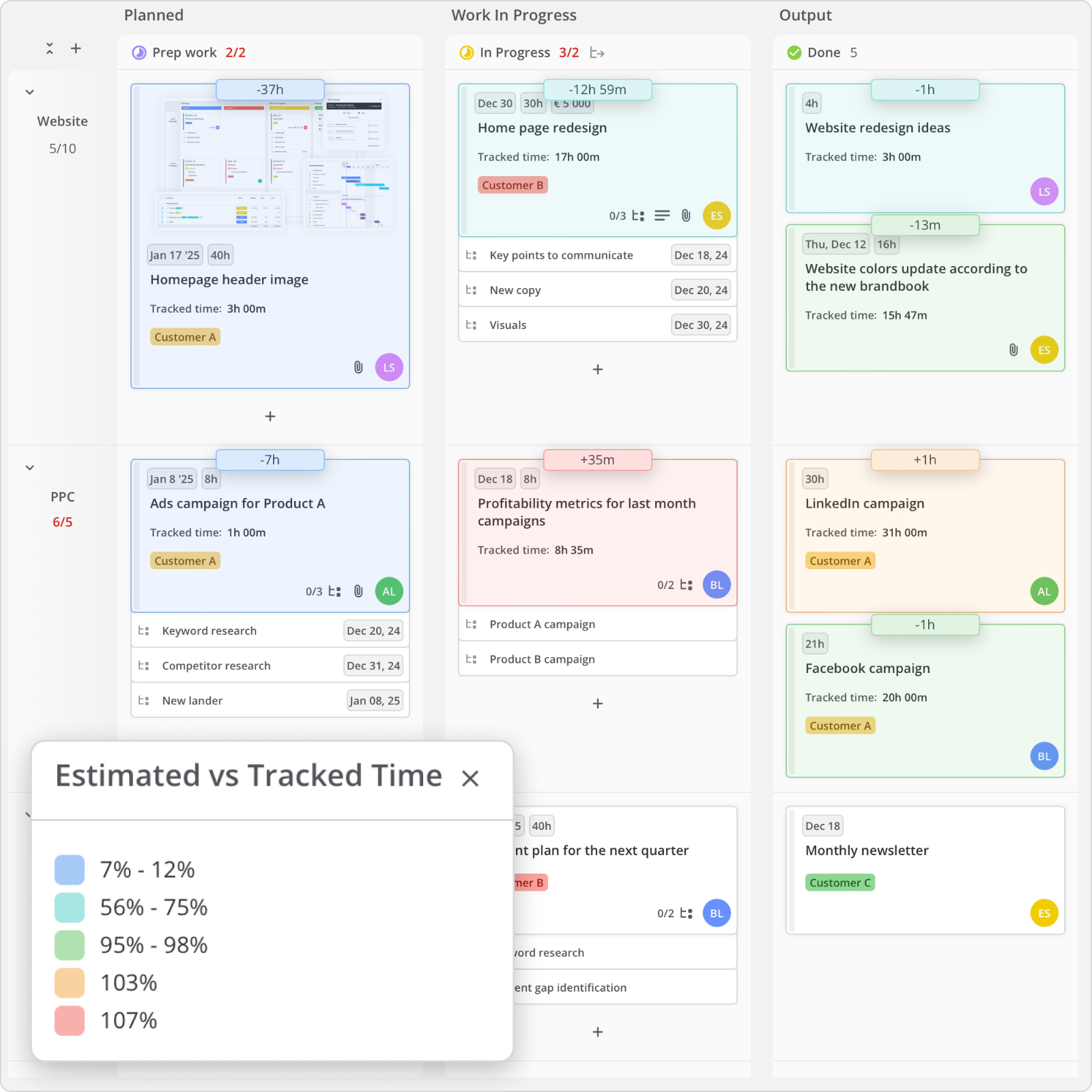
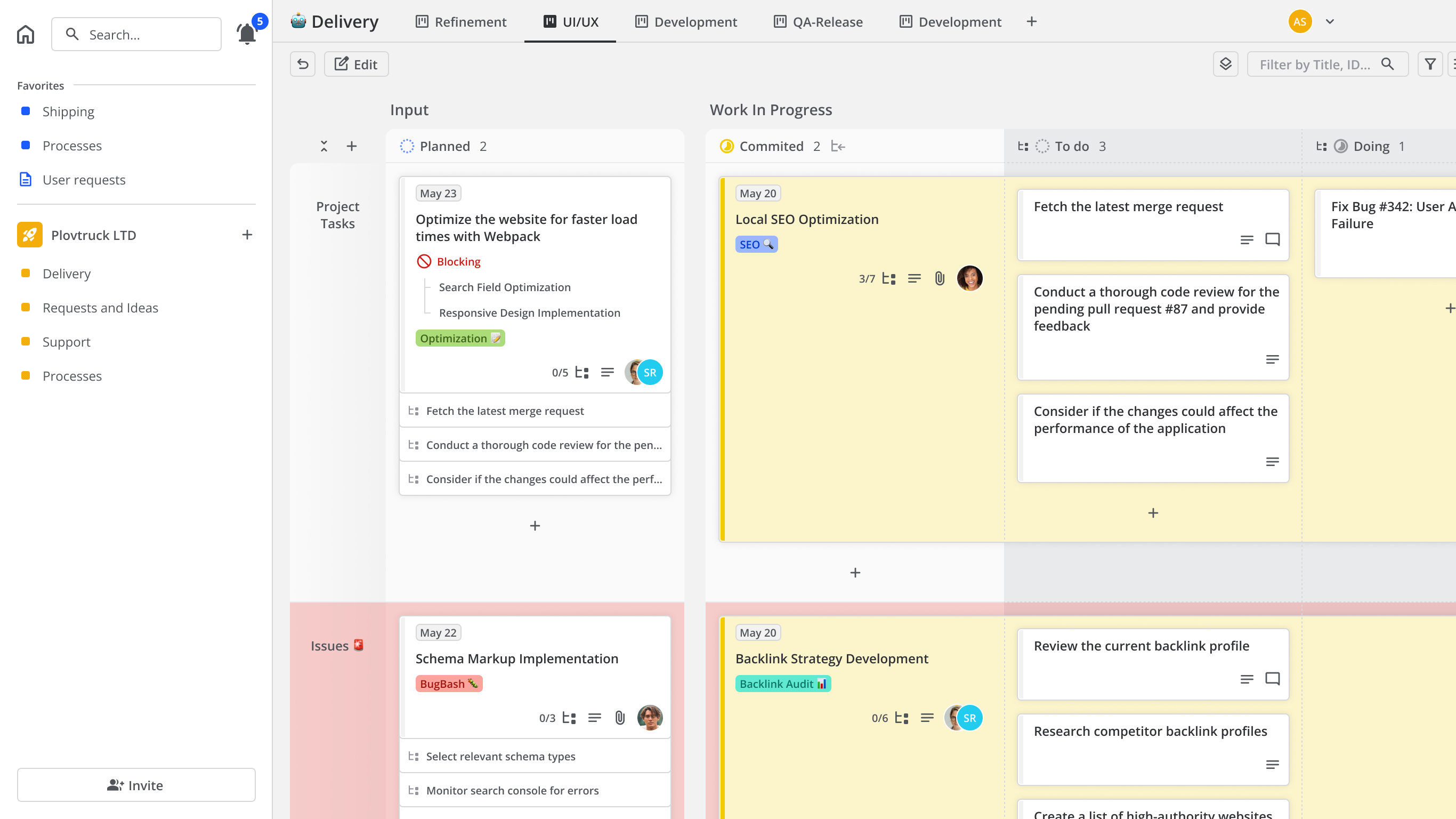
Break large projects into actionable tasks with an industry-specific template. Adapt to scope changes quickly by prioritizing tasks with a simple drag-and-drop. Track complex workflows easily with a Kanban board that handles parent tasks and subtasks at once.

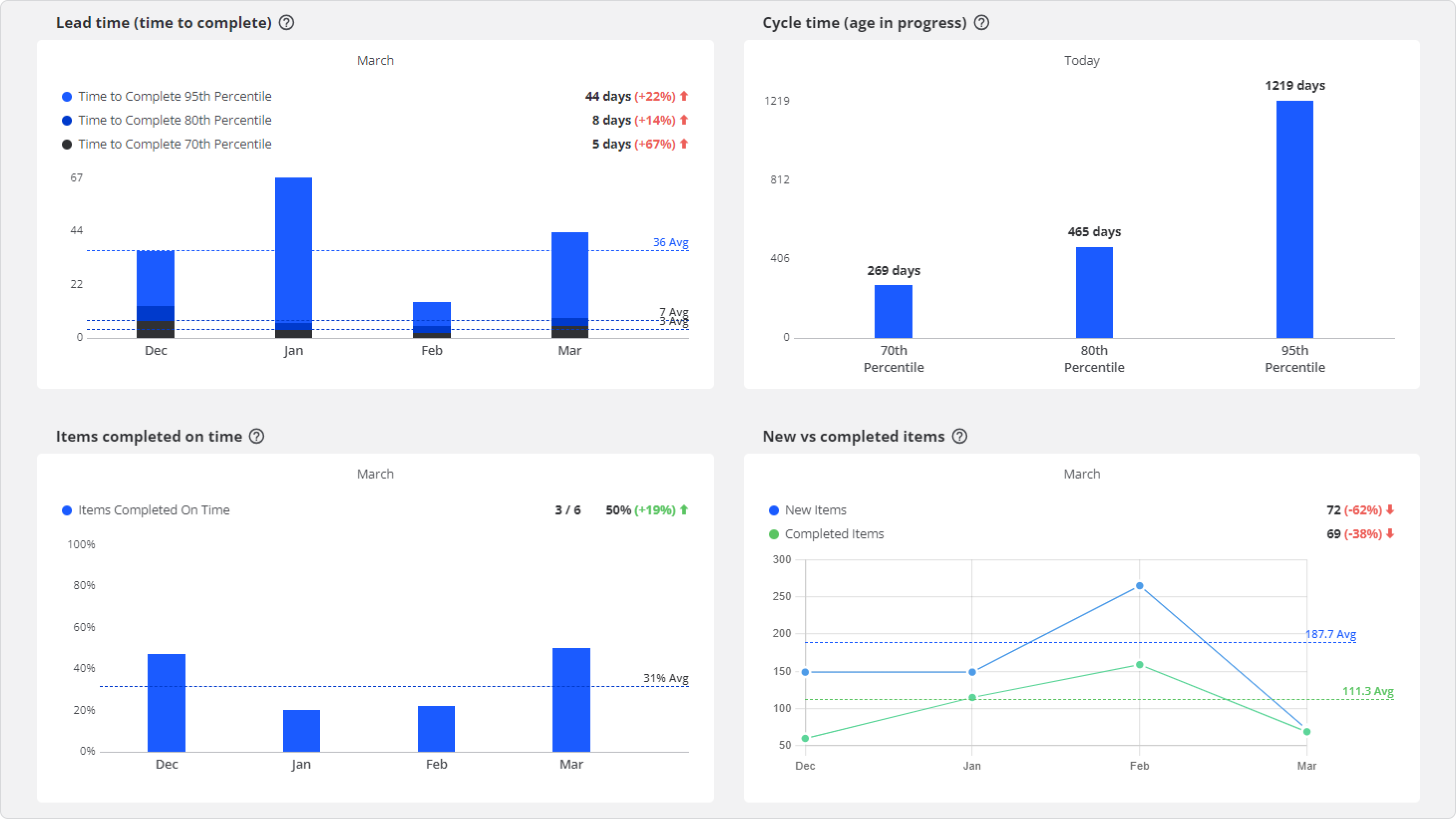
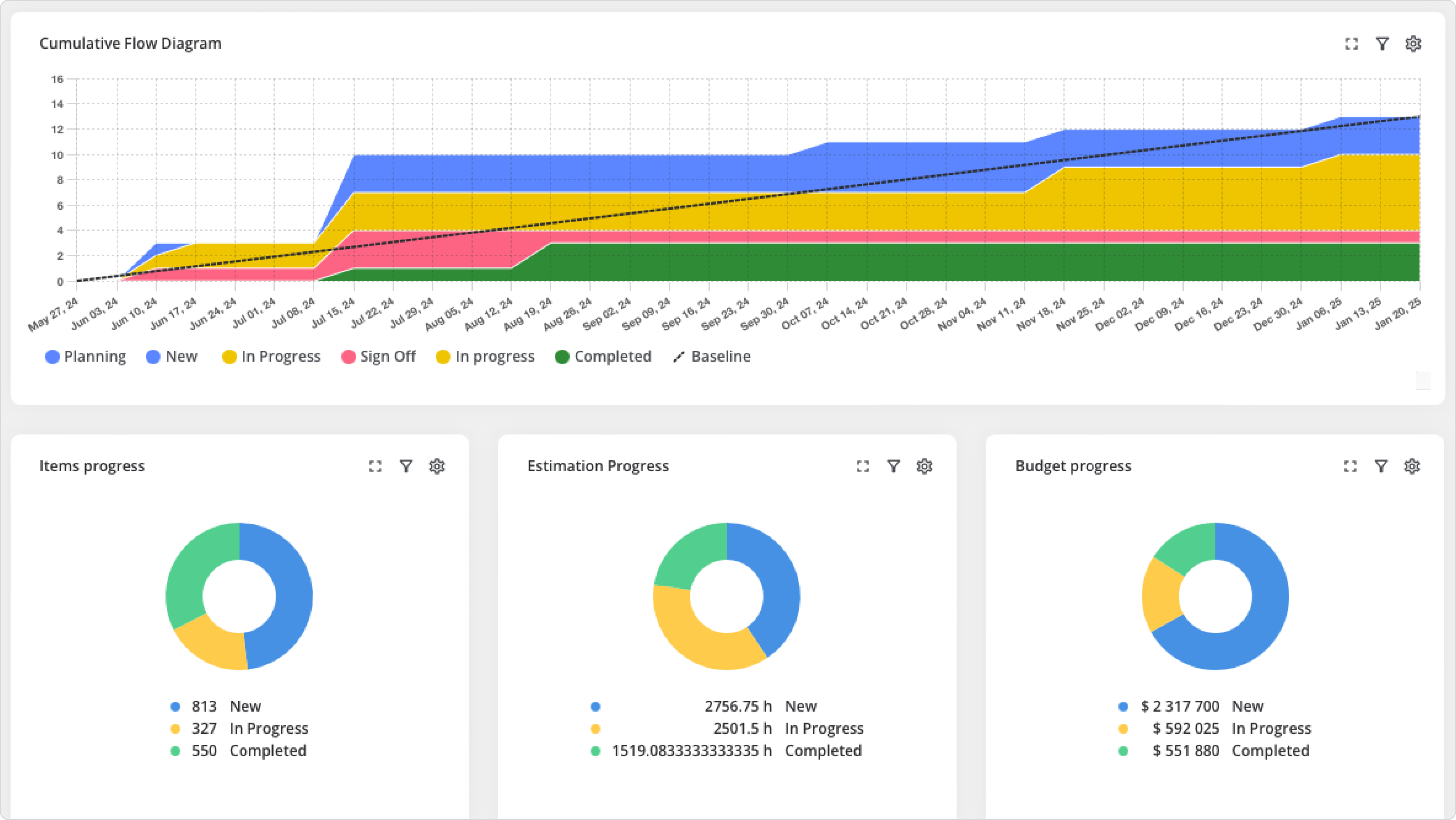
Create custom dashboards that deliver actionable profitability insights. Share burnup charts with stakeholders in real-time. Leverage key metrics such as cycle time, age in progress, and throughput to identify bottlenecks and foresee critical tasks.

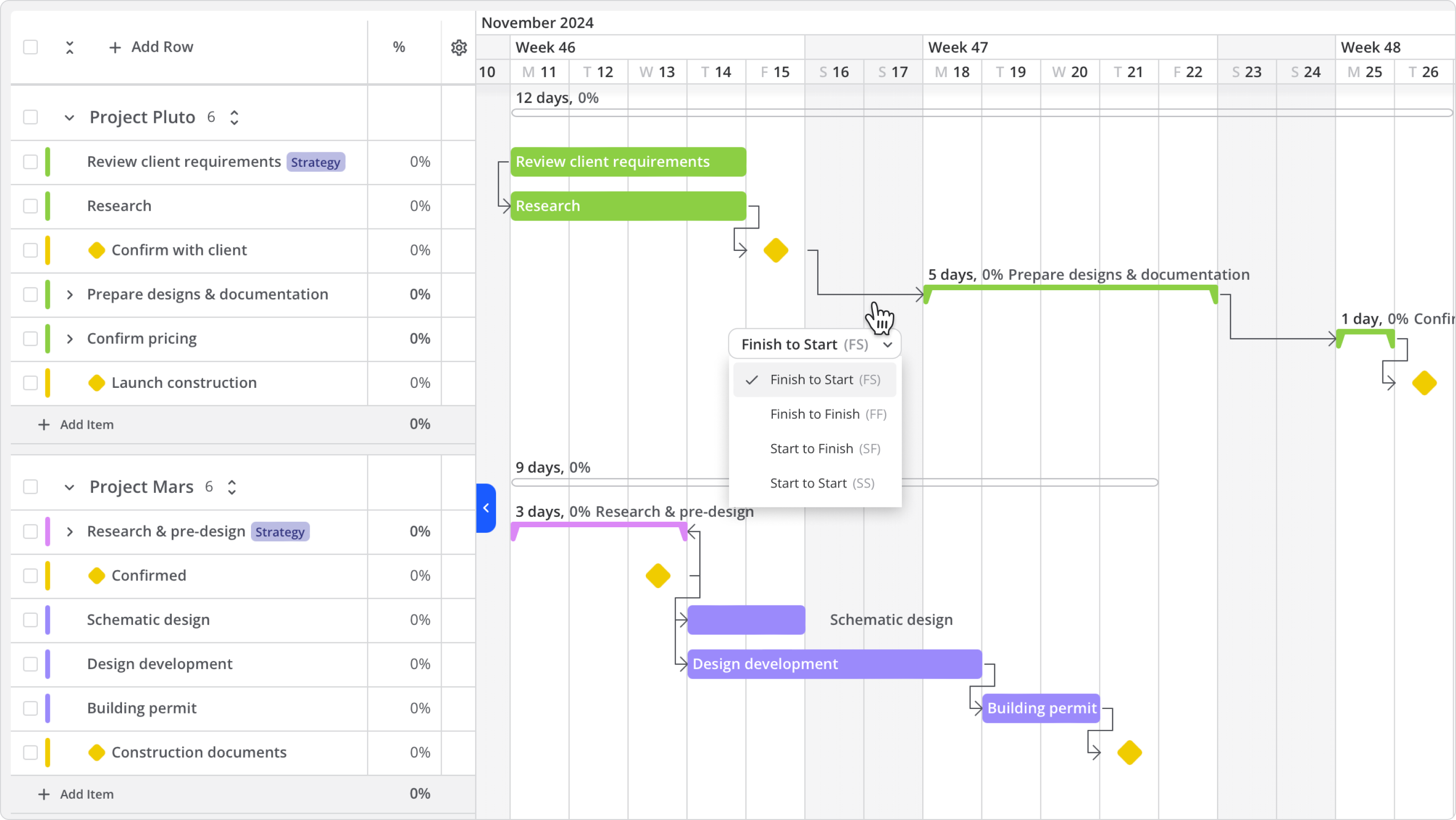
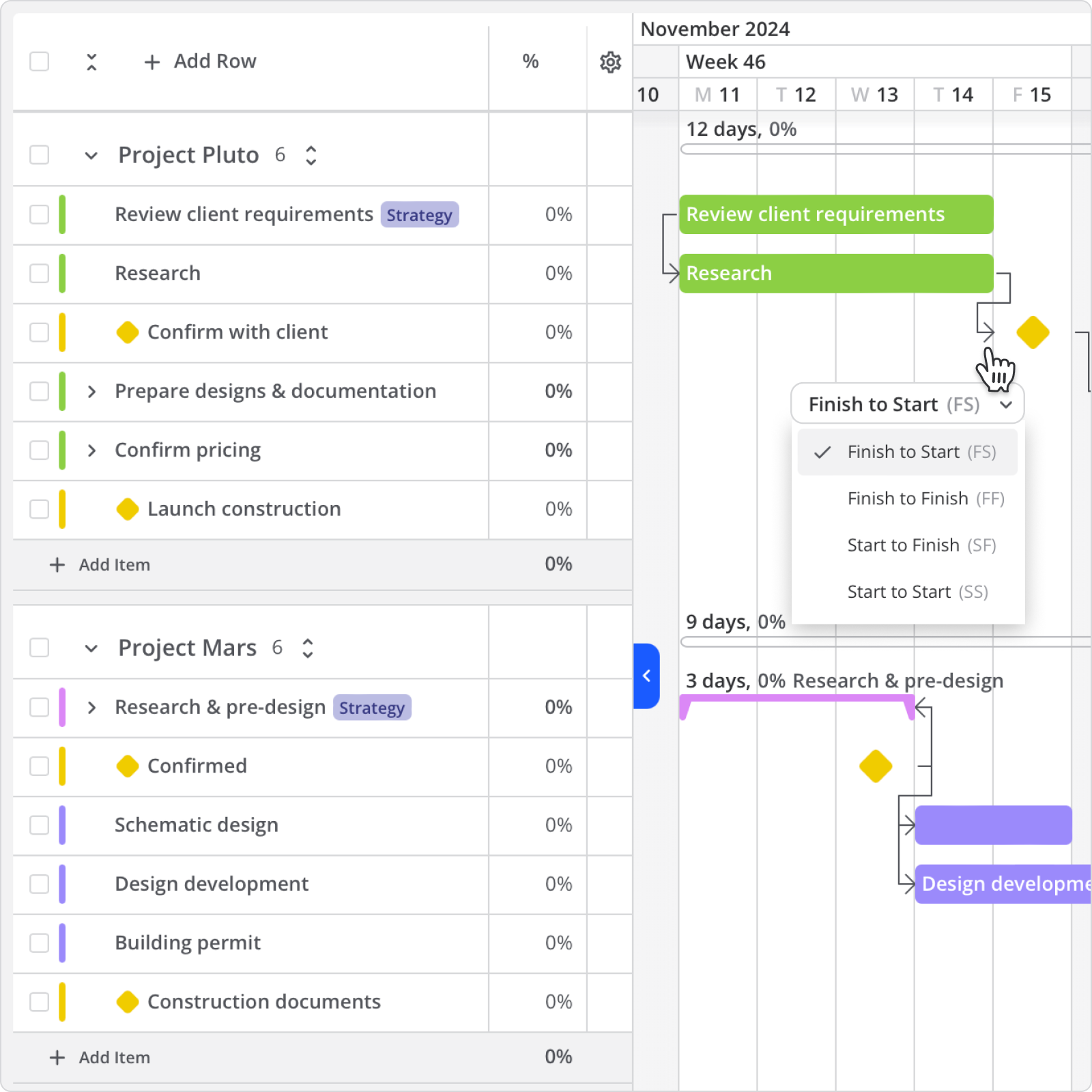
Use Kanban or Gantt charts to map out cross-project dependencies. Assign tasks with ease and start tracking progress in real time. Better understand performance with Agile metric reports, including completion time, overall progress, and on-time delivery.
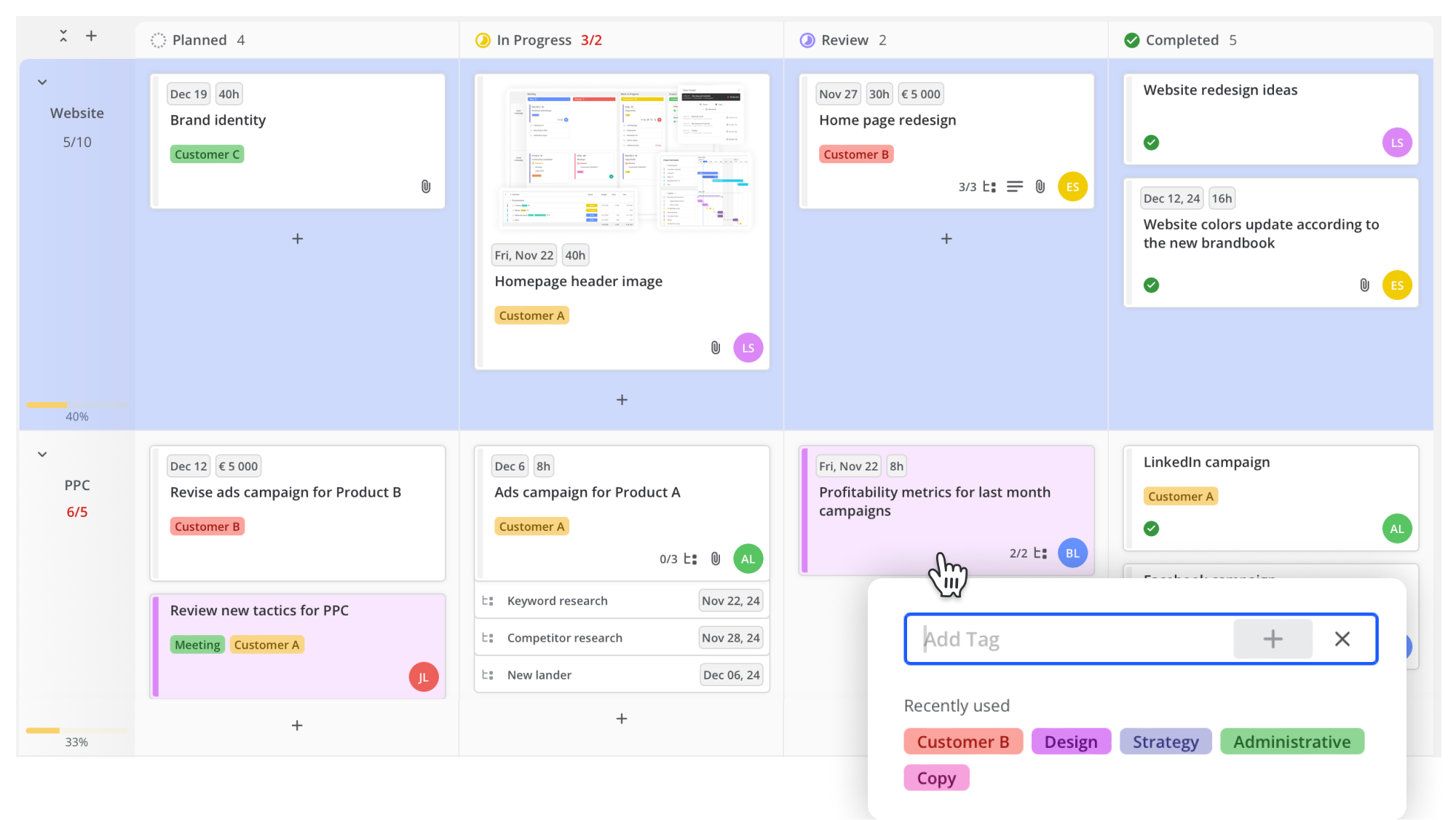
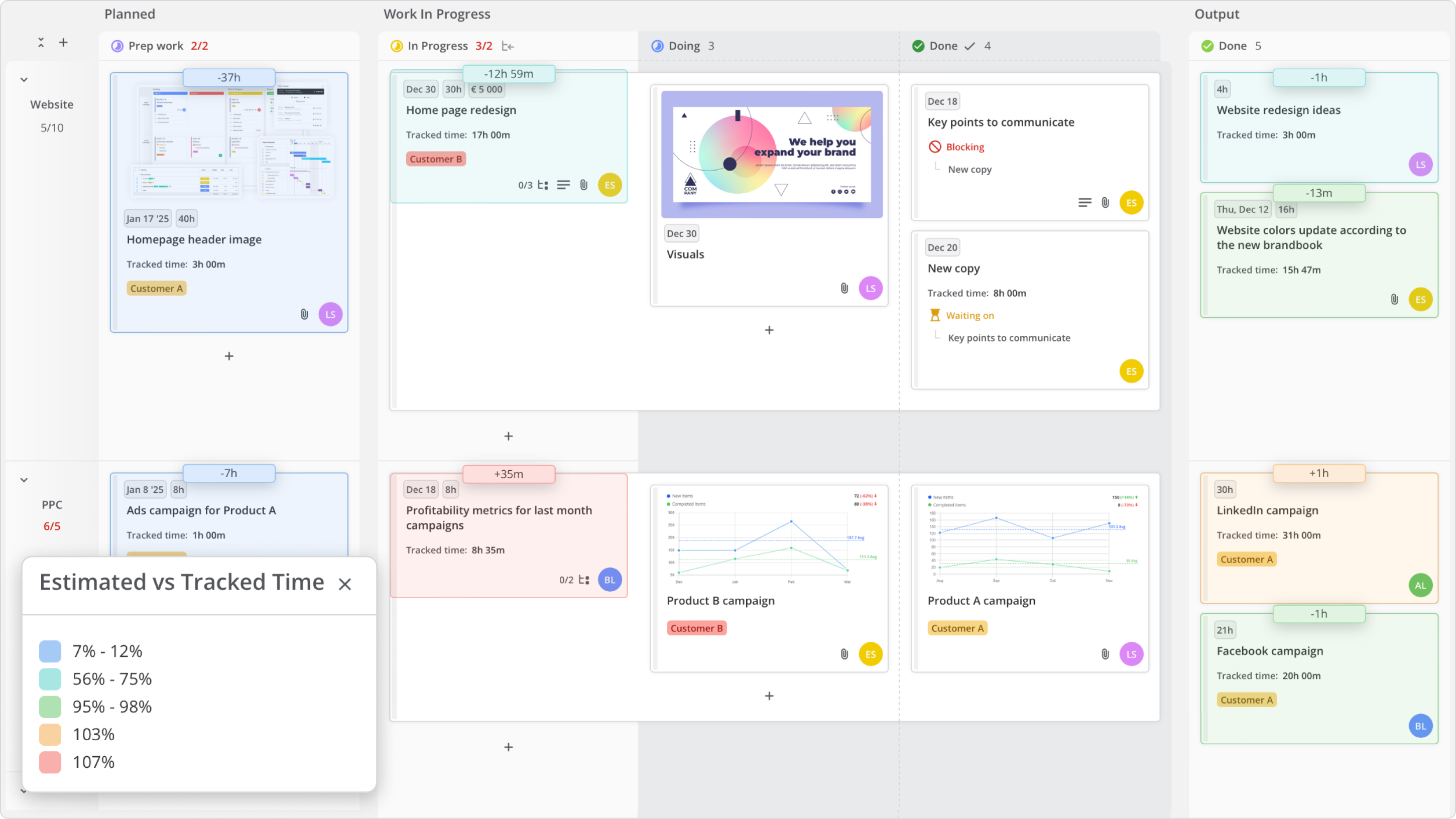
Track progress across teams and identify alignment gaps with a flexible visual Kanban board. Organize items by columns, rows, colors, or tags, and create high-level roadmaps for future cycles.


Highlight key events, set baselines, and track your plans to compare them with actual progress. Visualize technical debt alongside feature progress and gain full control over project timelines.


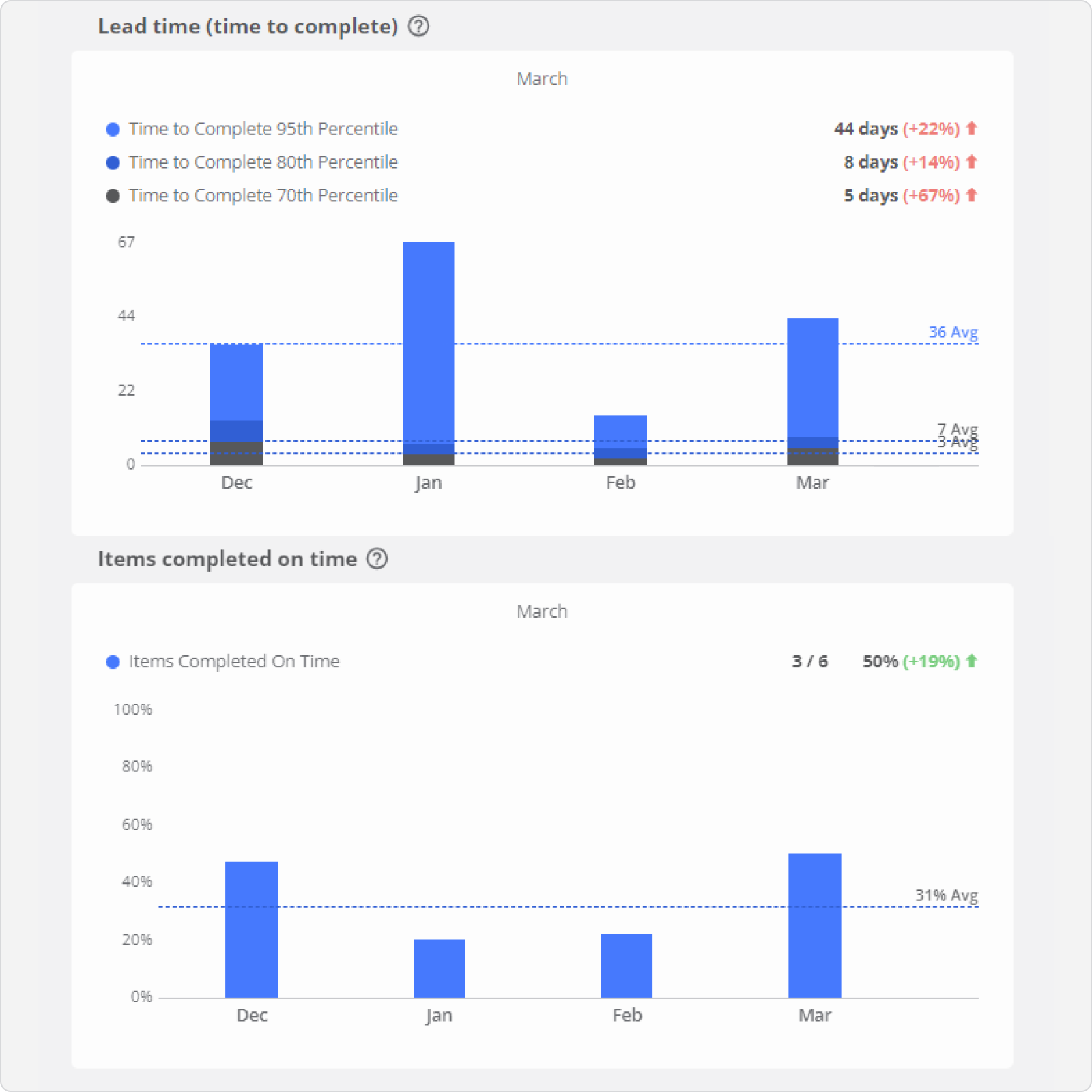
Measure cycle time for each process step, total lead time, and throughput to understand work completion speed and volume over time. Use agile metrics to promote transparent progress tracking.


Track time across your entire project, team, or individual members with the Time and Cost Report. View member or team contributions instantly with the burndown chart and adjust workloads directly in the tool.


Use past performance data to forecast accurately with the “When will it be done” task layer. Track completed items in each queue over time to improve estimation accuracy.
Pre-built Templates
Workspace templates make it easy to standardize and duplicate your processes. Simply navigate to ‘Workspace Settings,’ choose ‘Save as Template,’ and effortlessly clone and rename boards for new projects.
Cross-Team Sync
Just copy any item and move it to another workspace. When it's updated or completed in that workspace, the changes will automatically sync back to the original item (root).
Time Tracking
Track time in the background as you work, or pause and stop it as needed. Teamhood also allows manual addition and editing of timelogs if preferred.
Connect All Tools
Build custom integrations using the well-documented Open API, or easily connect to over 3,500 widely-used business tools.
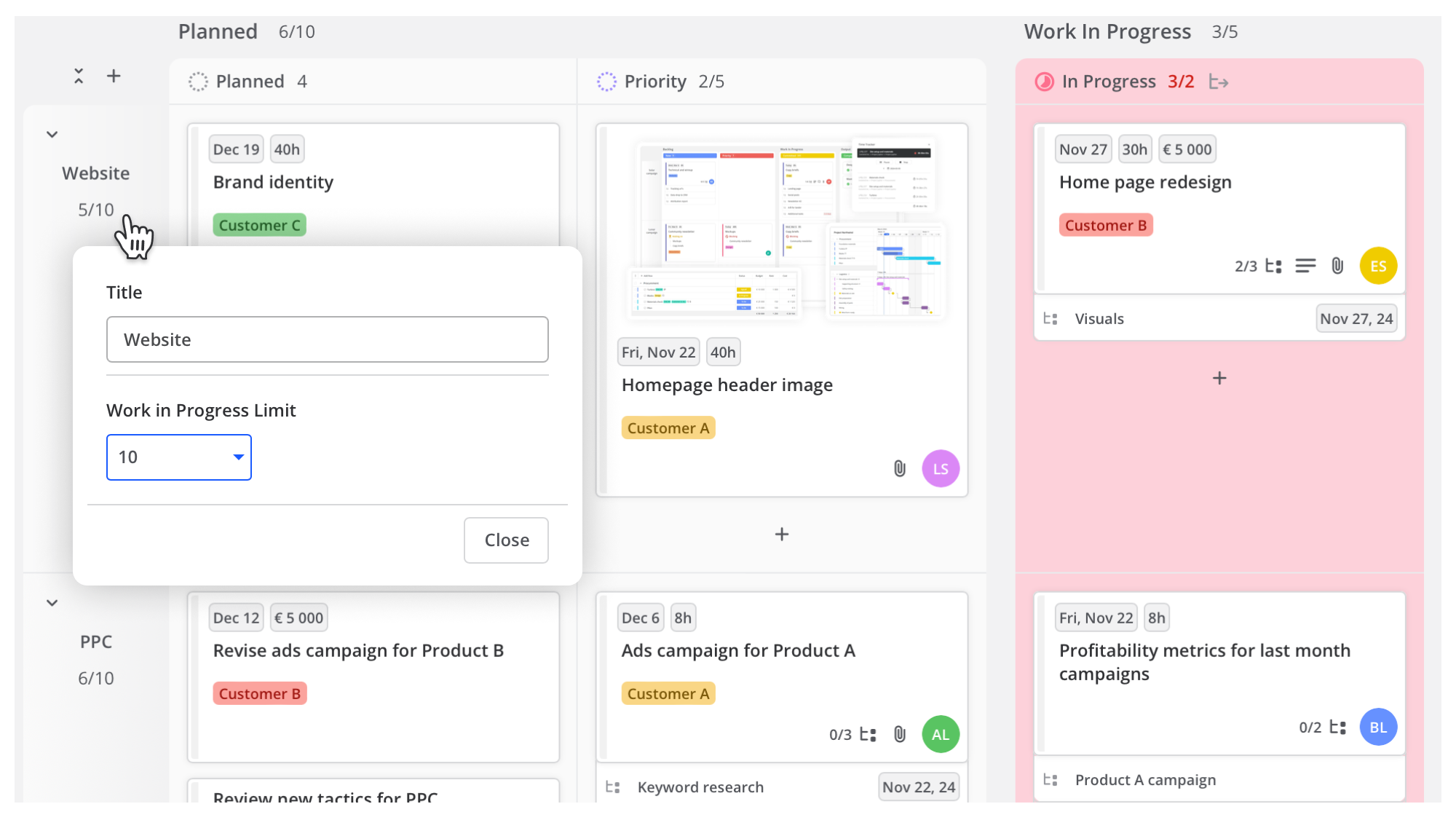
Advanced Kanban board was developed with the purpose to help manage large amounts of items. There is no other tool able to categorize items in so many ways – columns, rows, child items, colours, tags, etc.

Plan and track sprints to reach your end goals. Visualize product scope, sprints and operation flow in one board, the place where all scrum roles collaborate.

Build your boards to adopt to any process and any workflow – long term or short term planning, prioritization or execution.

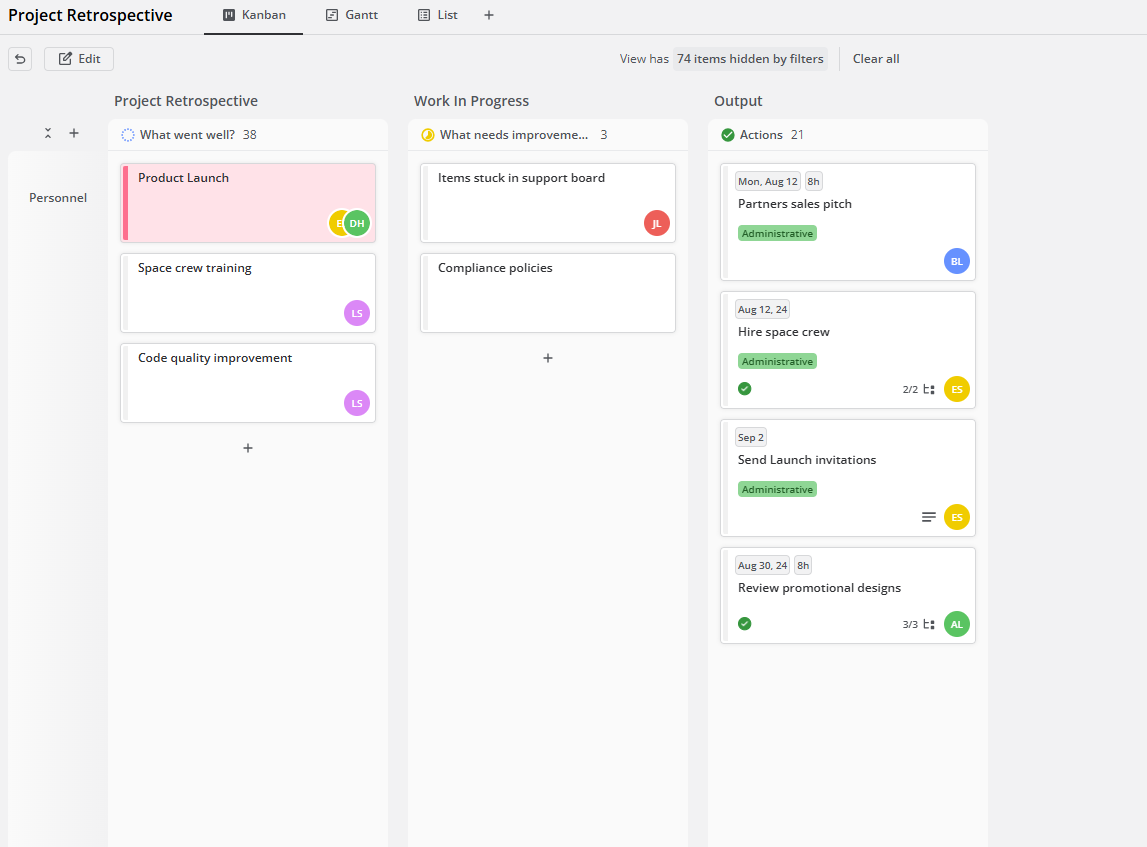
Make your retrospectives actionable by using a dedicated board. Document improvement items in detail and keep track of commitments.

Get a clear view of your progress, key metrics, budget, tracked time, estimates, and overall status.


Adjust work hours or rates and compare them with your estimates in the time and cost report.


Teamhood at the core of company operations
One of the most important things we have to do for new people in our company is being onboarded to Teamhood. It has been the core of our whole management process. We can see what has to be done, when can it be done, and at what place.

Project management
I put all the specifications of the project in Teamhood. The duration of each project phase, which methodology needs to be used, and the start and end dates. This way, I don’t have to go back to the proposal and instead can manage the project from a single place.

Team task management and workload
After starting to use Teamhood, we can now see all of the team tasks in one place. It became easy to understand the workload of my team members and delegate new work accordingly.

Gantt and Kanban
It’s so easy to organize the data. The GANTT chart, and Kanban views are excellent. All the functionality I need without making it overly complex. Quick learning curve.
Discover how Teamhood can transform your workflow—schedule an expert-guided tour today.


© 2019-2025 Teamhood ®