Retrospective Template: Reflect, Improve, and Move Forward

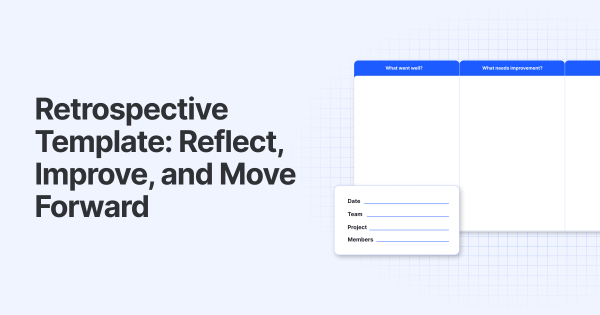
A retrospective template is a handy tool for teams to reflect on their progress and growth. It’s perfect for after big projects or at the end of the year. The template helps you sort through what worked and what didn’t, and make a plan to build on your successes. It keeps your feedback constructive and clear, so you can keep moving forward.

How to Read a Retrospective Template?
The real value of this template comes from the action items. They’ll show you exactly where to focus next. These are:
- What went well
Celebrate successes and wins. This helps your team recognize strengths and keep doing what works. It’s a chance to highlight teamwork, processes, or tools that improved performance. Example: The team completed the project two days early thanks to great collaboration.
- What needs improvement
Identify challenges or obstacles faced. Constructive criticism here uncovers where things slowed down or didn’t meet expectations. A space for truthful insights, free from blame. Example: Communication between teams was inconsistent, causing delays in approvals.
- Actions
Turn insights into next steps. List clear, achievable actions your team can take to fix issues or build on successes in the next sprint or project phase. Assign owners and deadlines for accountability. Example: Set up weekly cross-team check-ins to improve communication – Assigned to Sarah, due next sprint.
- Reminders
Use this column to highlight actions from the previous retrospective that haven’t been completed yet. It helps the team remember what’s left to finish before moving on. Example: Update the project documentation – still pending from last sprint.
How to Use the Retrospective Template
- Schedule the meeting with your team, ensuring everyone has time to prepare.
- Set the tone by encouraging openness and focusing on growth, not blame.
- Set a timer to keep the discussion focused and respectful of everyone’s time.
- Run through each column, inviting everyone’s input to get a full picture.
Discover more helpful resources:
What is an Agile Retrospective
Agile Ceremonies
How to Get Your Team to Use New Software
What’s Next?
After the meeting, summarize agreed actions and key reminders. Assign responsibilities clearly, and follow up regularly to track progress. Over time, this simple practice builds trust, sharpens workflows, and drives project success.
Manual templates can really slow things down and cause friction. We use Teamhood internally – especially for retrospectives – to cut through all that. It makes the process easier. It keeps things organized. Plus, it helps us focus on what matters most-making real improvements.
