10 Best AI Tools for Project Management: Latest Reviews

Artificial intelligence (AI) promises a revolution in almost every industry, and project management is no exception. Teams now want software that helps with pretty much any process like predicting project delays, automatically allocating resources or even creating entire boards from scattered meeting notes. As a result, the market for AI tools is growing every single day. So, finding the right AI helper might seem like a battle.
But don’t worry – with years of experience in project management, we’re here to help. This best AI tools for project management comparison focuses on practical capability rather than feature volume. The tools listed below are evaluated on planning intelligence, execution support, and suitability for real project environments.
Quick Overview: Who Has the Best AI Tools for Project Management
- Teamhood AI – best overall AI tool for project management.
- Motion – best for automated scheduling and individual workload optimization.
- Asana Intelligence – best for predictive risk detection and workload visibility.
- ClickUp AI – best for task summaries, documentation automation, and communication support.
- Wrike Work Intelligence – best for enterprise forecasting and standardized governance.
What Defines the Best AI Tools for Project Management
Not every PM tool that includes AI delivers actual value. The strongest AI platforms should be able to:
- Create structured work instantly. AI tools should be able to automatically generate tasks or entire projects and assign available team members accordingly, as well as reschedule resources based on changing priorities and capacity.
- Give tool-specific guidance. Your team needs to receive clear instructions for features, workspace setup, and configuration steps.
- Work with data on demand. It’s very useful to pull tasks, progress, and board information into clean lists, tables, or charts for fast review.
- Search and retrieve anything fast to locate items, boards, or workspace details instantly across your account.
- Work securely. You shouldn’t worry about your data – AI should keep all information within your software environment, and it shouldn’t be shared externally. As Teamhood co-founder Vidas Vasiliauskas notes in an interview, data responsibility is quickly becoming a core business differentiator.
How We Made the List
With years of experience in project management, the Teamhood team has a deep understanding of the capabilities a project management tool should offer. Our reviews are based on our hands-on expertise and extensive online feedback different users. This combined approach balances and gives practical evaluation of each tool.
Top AI Tools for Project Management Compared
1. Teamhood
Best overall AI tool for project management.
Capterra score: 5 ⭐⭐⭐⭐⭐
Pricing starts at: $9.5/month
Pros:
- AI-powered project and board creation from documents and notes
- Natural-language queries with instant, structured insights
- Spreadsheet-like reports with charts, formulas, and CSV export
- Deep Kanban and workflow modeling support
- Secure, in-platform AI with no external data sharing
- Fast AI-powered search across tasks, boards, and workspaces
- Easy to use once familiar with Teamhood terminology
Cons:
- Requires precise prompts for best results
Overview:
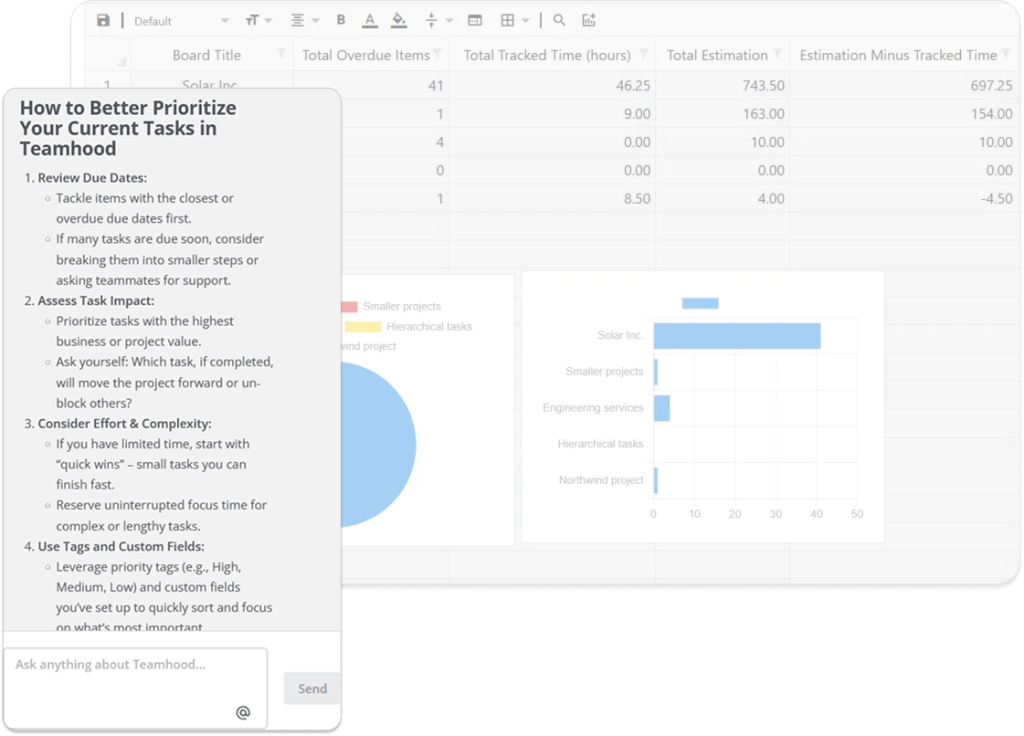
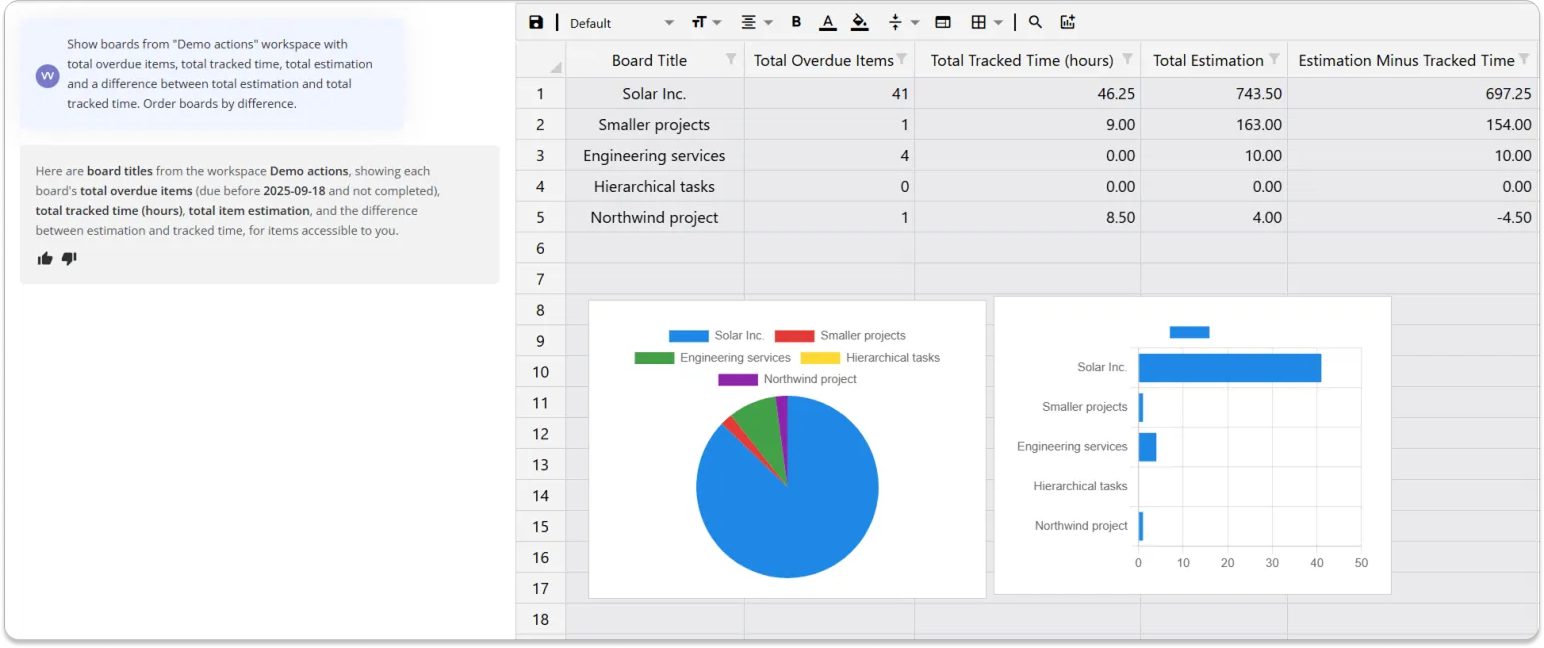
Teamhood is a project management platform with a built-in AI that lets you ask natural-language questions directly about your projects and get structured answers instantly – tables, charts, or full reports you can sort, calculate, export, and save.
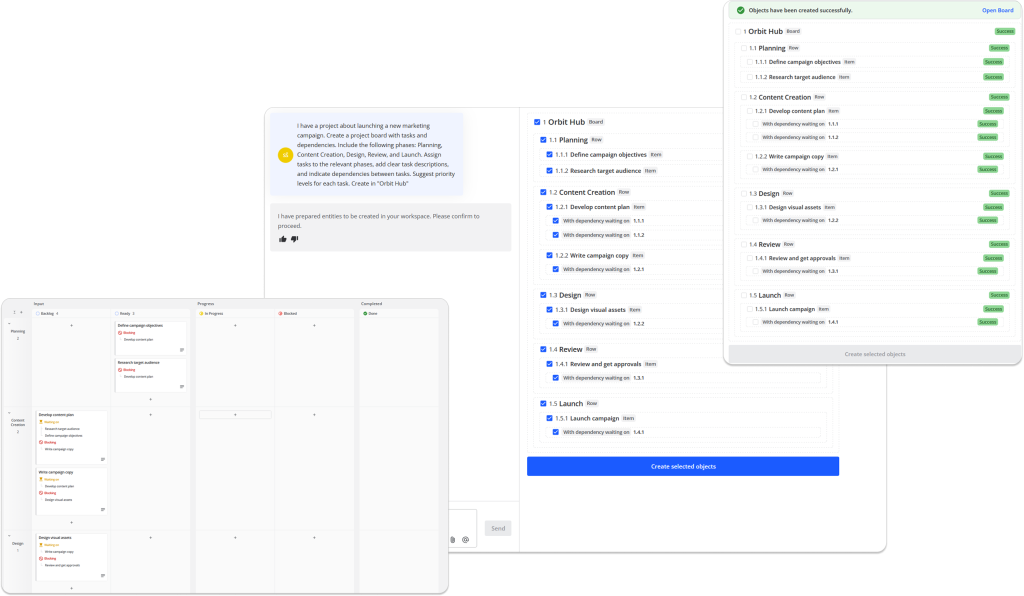
What sets Teamhood apart is how deeply AI is embedded into project work. You can generate complete project boards, tasks, dependencies, and Kanban workflows from ideas, meeting notes, or uploaded documents. The AI creates ready-to-use structures inside your workspace from complex processes, can turn a PDF into an execution plan or convert workshop notes into actionable tasks.
Learn more: Teamhood AI
The tool also excels at analysis and decision support. You can explore overdue work, workload distribution, progress trends, and time-tracking performance across single or multiple workspaces – simply by asking. Results are precise, tool-aware, and presented in spreadsheet-like views that support formulas, charts, and long-term reporting.
Crucially, Teamhood is designed for organizations that care about data ownership. All AI processing happens inside Teamhood – your project data is never sent to external LLMs. Combined with strong Kanban support, customizable workflows, and AI-powered search across your entire account, Teamhood stands out as one of the most complete and secure AI tools for serious project management.
Secure AI for Serious Project Management
Generate workflows, analyze progress, and get instant insights

2. Motion
Best for automated scheduling and individual workload optimization.
Capterra score: 4.3 ⭐⭐⭐⭐⭐
Pricing starts at: $19/month
Pros:
- Fully automated task scheduling based on deadlines and availability
- Continuous rescheduling as priorities or tasks change
- Reduces manual calendar and to-do list management
- Strong focus on personal productivity and time blocking
Cons:
- Limited support for task dependencies and shared resources
- Minimal portfolio-level visibility and reporting
Overview:
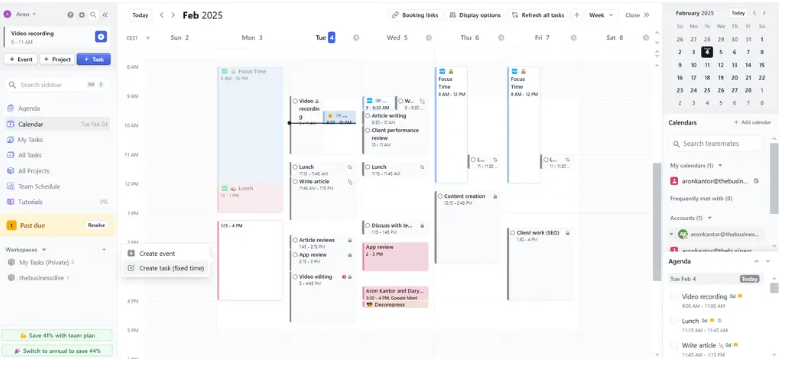
Motion is an AI scheduling tool focused on automatically planning tasks into individual calendars. Its system prioritizes deadlines, availability, and working hours to create optimized daily schedules without manual planning.
Motion performs best in environments where work items are largely independent and success depends on personal time management. The AI continuously recalculates schedules as new tasks appear or priorities change. However, it does not model task dependencies or shared resources in a meaningful way, which limits its effectiveness for multi team project delivery.
3. Asana Intelligence
Best for predictive risk detection and workload visibility.
Capterra score: 4.5 ⭐⭐⭐⭐⭐
Pricing starts at: $10.99/month
Pros:
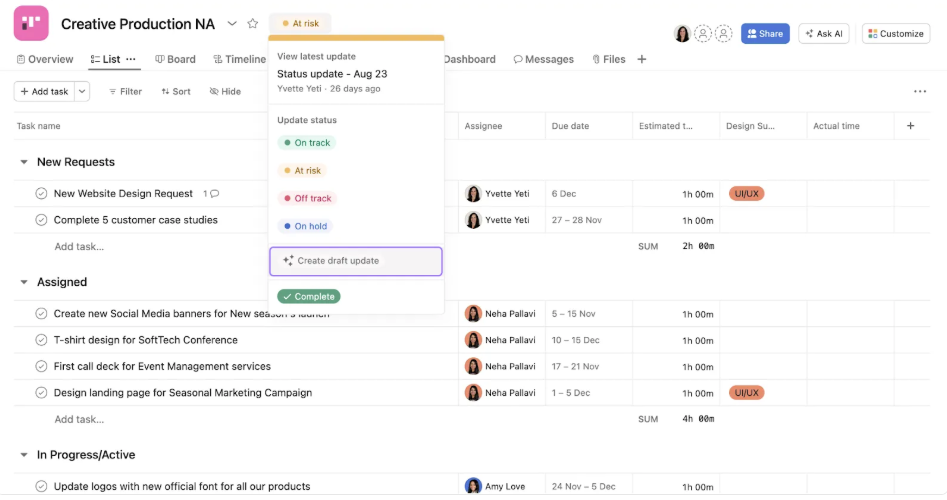
- Predictive alerts for delivery risks and missed deadlines
- Strong workload visibility across teams and projects
- Deep integration with Asana’s task and workflow system
- Useful decision-support insights without forcing automation
Cons:
- Relies heavily on quality and consistency of historical data
- Limited autonomous planning or schedule optimization
Overview:
Asana Intelligence builds on Asana’s task and workflow system by adding predictive insights. The AI analyzes historical project data to flag potential risks, missed deadlines, and workload imbalances. These signals help managers intervene earlier rather than reacting after delivery slips.
The AI functions primarily as a decision support layer. It does not automatically rebalance plans or adjust timelines without user input. This makes it suitable for teams that want insight without relinquishing control over execution. Asana Intelligence is most effective in organizations with mature Asana usage and consistent historical data. Teams expecting hands-off automation may find the AI capabilities limited.
4. ClickUp AI
Best for task summaries, documentation automation, and communication support.
Capterra score: 4.6 ⭐⭐⭐⭐⭐
Pricing starts at: $7/month
Pros:
- Excellent AI-assisted documentation and content generation
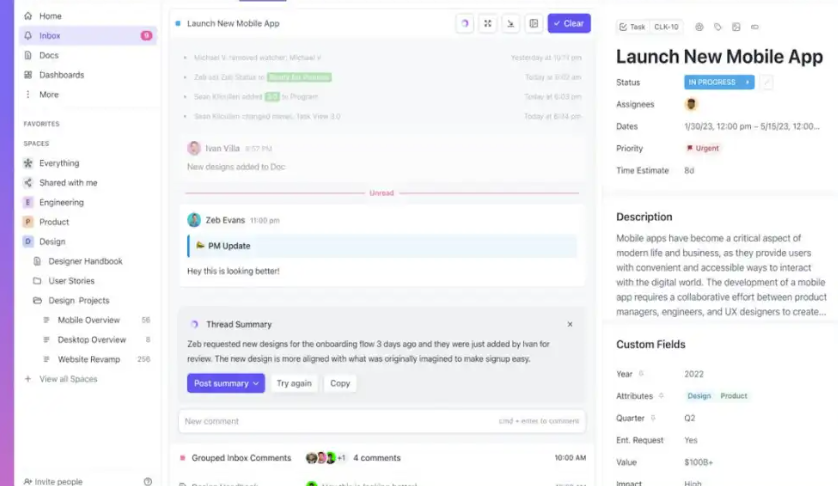
- Automated task summaries and meeting notes
- Reduces administrative and communication overhead
- Unified workspace for tasks, docs, and collaboration
Cons:
- Limited native understanding of dependencies and critical paths
- Planning accuracy depends on heavy manual configuration
- AI focuses more on content than execution optimization
Overview:
ClickUp AI enhances a highly flexible project management platform with generative and analytical capabilities. It assists with task summaries, documentation, meeting notes, and automated updates. For teams dealing with heavy communication and documentation, this reduces administrative overhead.
From a project management perspective, ClickUp AI is strongest in content generation rather than execution optimization. It does not deeply understand dependencies or project critical paths unless heavily customized. As a result, planning accuracy still relies largely on manual configuration. ClickUp AI suits teams that want a single workspace for tasks, docs, and communication, with AI acting as an assistant rather than a planner.
5. Wrike Work Intelligence
Best for enterprise forecasting and standardized governance.
Capterra score: 4.4 ⭐⭐⭐⭐⭐
Pricing starts at: $10/month
Pros:
- Strong predictive alerts for schedule and effort risks
- Improves accuracy with increased historical data volume
- Enterprise-grade governance, reporting, and controls
- Well suited for portfolio-level oversight
Cons:
- High cost relative to smaller-team needs
- Requires significant setup and process discipline
- Limited automated execution or rescheduling
Overview:
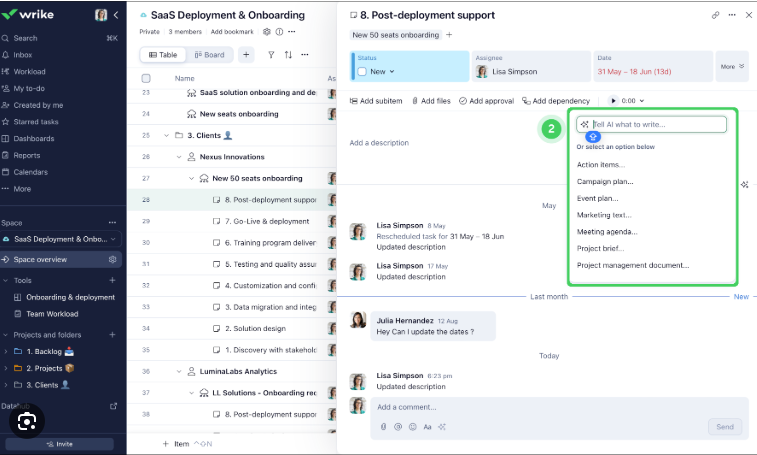
Wrike Work Intelligence applies machine learning to effort estimation, schedule risk detection, and anomaly identification. It is designed for enterprise scale organizations with standardized processes and significant historical data. The AI becomes more accurate as usage volume increases.
Wrike’s strength lies in predictive alerts rather than automated execution. It highlights where projects are likely to deviate from plan, allowing managers to intervene. Setup and configuration require time and process discipline, which may be excessive for smaller teams. Wrike is best suited for large organizations that value governance, reporting, and consistency across portfolios.
6. Monday AI
Best for flexible team workflows with AI automation suggestions.
Capterra score: 4.6 ⭐⭐⭐⭐⭐
Pricing starts at: $12/month
Pros:
- Highly flexible workflow and board customization
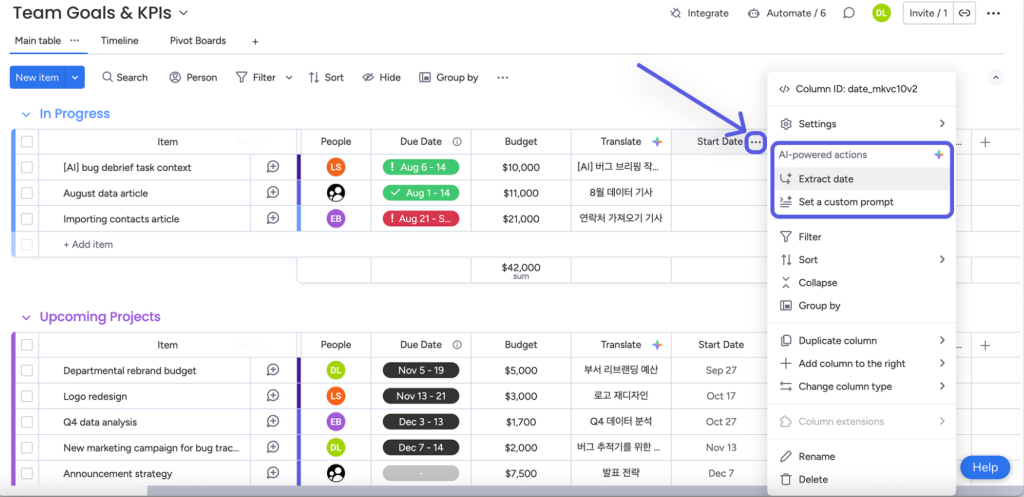
- AI-powered automation suggestions and summaries
- Visual, intuitive interface for operational teams
- Broad ecosystem of integrations and templates
Cons:
- AI insight quality depends heavily on board structure
- Inconsistent setups lead to unreliable insights
- Limited native support for complex dependency planning
- Requires manual effort to scale across portfolios
Overview:
Monday AI adds intelligent automation and insight generation to a visually driven project platform. It can suggest automations, summarize board activity, and surface patterns in project data. The flexibility of Monday allows teams to model many different workflows.
AI effectiveness depends heavily on how boards are structured. Inconsistent setups lead to inconsistent insights. Monday AI works best in operational environments where processes are repeatable and well defined. It is less effective for complex dependency driven project planning unless teams invest significant effort in customization.
7. Jira with AI Assist
Best for agile software development teams.
Capterra score: 4.4 ⭐⭐⭐⭐⭐
Pricing starts at: $9/month
Pros:
- Strong AI support for backlog refinement and issue summarization
- Improves ticket clarity and maintenance efficiency
- Deep alignment with agile and software development workflows
- Scales well for engineering organizations
Cons:
- Poor fit for non-technical or cross-functional teams
- Limited portfolio-level forecasting and planning intelligence
- AI features are narrow in scope outside development use cases
- Steep learning curve for non-engineers
Overview:
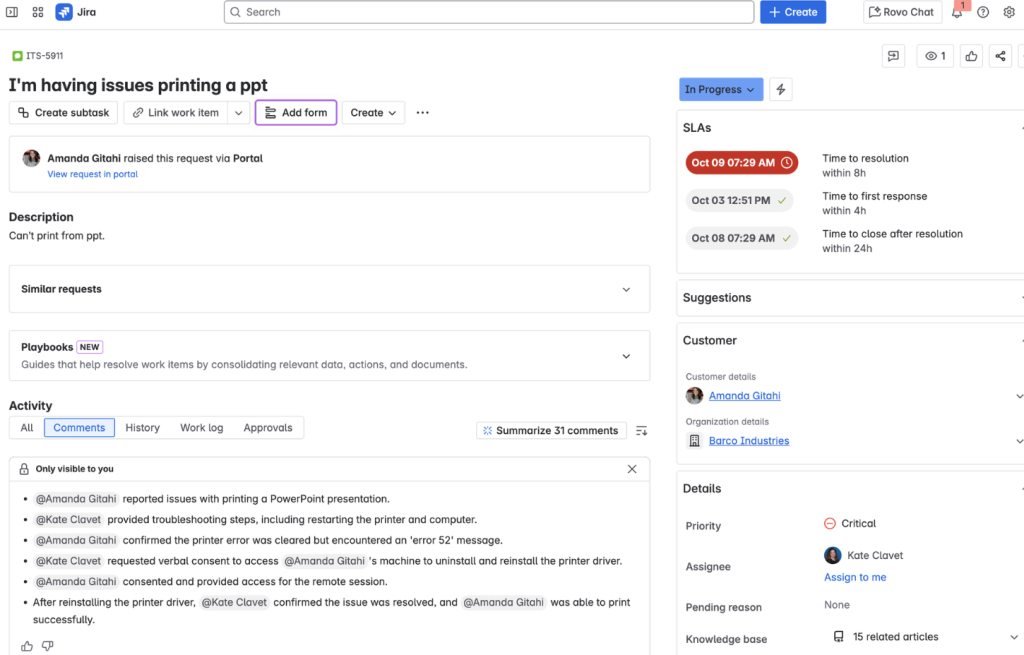
Jira’s AI features focus on software development workflows. The AI assists with issue summarization, backlog refinement, and ticket classification. For engineering teams, this reduces maintenance overhead and improves backlog clarity.
Jira’s AI is tightly coupled to agile development concepts, making it less adaptable outside technical teams. It does not provide holistic project forecasting or cross functional planning intelligence. Jira remains a strong choice for development focused project management but is not a general purpose AI project tool.
8. Smartsheet AI
Best for reporting-driven environments transitioning from spreadsheet management.
Capterra score: 4.5 ⭐⭐⭐⭐⭐
Pricing starts at: $9/month
Pros:
- Familiar spreadsheet-style interface with added intelligence
- Predictive insights and anomaly detection for reporting
- Strong rollups and stakeholder-facing dashboards
- Smooth transition path from Excel-based workflows
Cons:
- Limited execution automation and rescheduling
- Dependency modeling is less robust than dedicated PM tools
- AI focuses more on forecasting than delivery optimization
- Can become complex as scale increases
Overview:
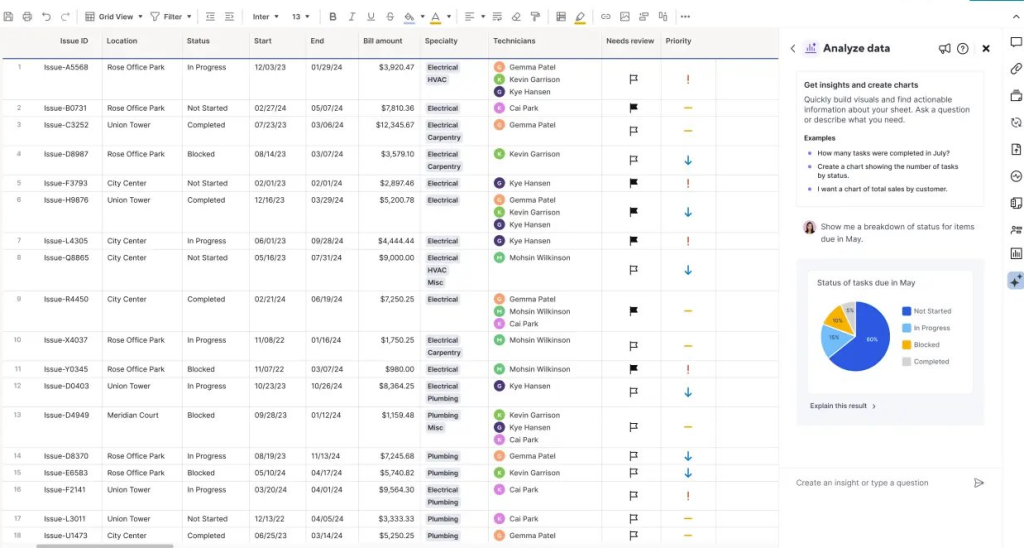
Smartsheet AI enhances spreadsheet based project management with predictive insights and anomaly detection. It appeals to organizations transitioning from Excel to more structured systems while retaining familiar paradigms.
AI features focus on pattern recognition and forecasting rather than execution automation. Dependency handling exists but lacks the depth of purpose built planning tools. Smartsheet AI works best for reporting driven environments where stakeholders value forecasts and rollups.
9. Forecast by Harvest
Best for resource and utilization forecasting in agencies and consultancies.
Capterra score: 4.6 ⭐⭐⭐⭐⭐
Pricing starts at: $5/month
Pros:
- Accurate AI-driven capacity and utilization forecasting
- Strong alignment with revenue and billable work planning
- Clear visibility into who should do what and when
- Well suited for agency and consultancy models
Cons:
- Limited support for complex project dependencies
- Weak cross-functional workflow
- Narrow focus beyond resourcing and utilization
- Less suitable for product or internal delivery teams
Overview:
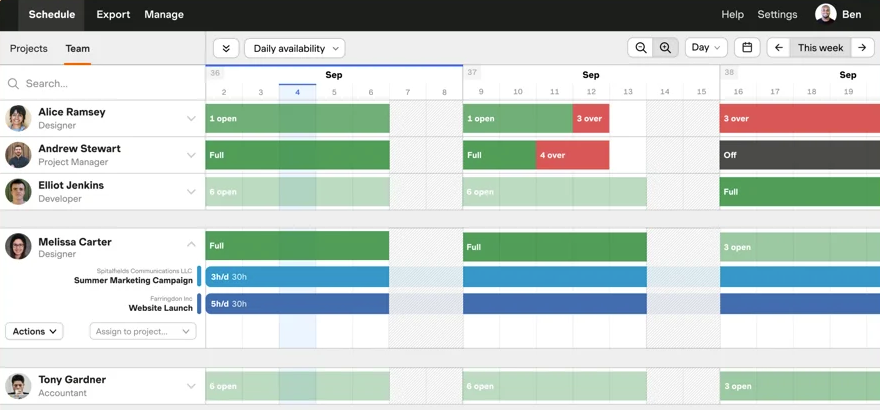
Forecast uses AI to predict timelines, capacity, and utilization based on historical performance. It is designed primarily for agencies and consultancies where accurate resourcing impacts revenue.
The platform excels at answering how long work will take and who should do it. However, it lacks broader project coordination features such as complex dependency mapping or stakeholder workflows. Forecast is ideal when utilization accuracy matters more than cross functional delivery orchestration.
10. Notion AI
Best for early planning, knowledge organization, and lightweight task support.
Capterra score: 4.7 ⭐⭐⭐⭐⭐
Pricing starts at: $10/month
Pros:
- Strong AI support for idea generation and documentation
- Flexible, unstructured environment for early planning
- Excellent knowledge management and collaboration
- Low barrier to entry and rapid adoption
Cons:
- Lacks scheduling, dependency, and workload intelligence
- Not suitable for execution-heavy project management
- Limited reporting and delivery tracking
Overview:
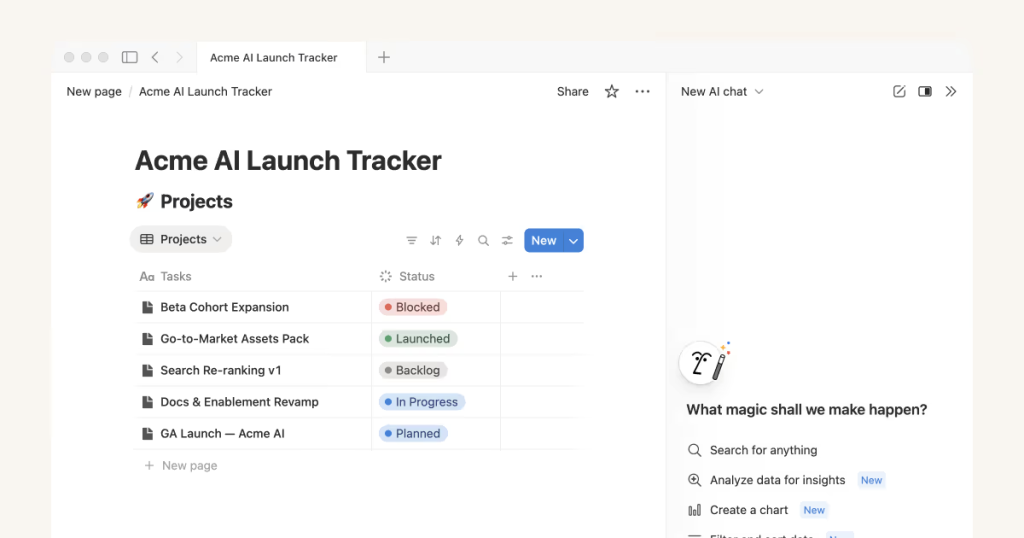
Notion AI supports idea generation, documentation, and lightweight task management. It performs well during early planning stages where structure is still evolving. Teams use it to draft plans, summarize discussions, and organize knowledge.
As a project execution tool, Notion AI is limited. It lacks scheduling intelligence, dependency awareness, and workload optimization. It functions best as a supporting system rather than a primary project manager. Notion AI complements structured tools rather than replacing them.
What Is AI for Project Management?
AI for project management refers to implementing machine learning into project management software. It relies on natural language processing, predictive analytics and supports project planning, execution as well as overall control. To give an example, traditional project management tools rely on your manual input. AI, on the other hand, analyzes project data and identifies patterns, forecasts outcomes, and recommends actions.
In essence, AI tools in project management use historical performance data and your current workload. Such software answers questions like when a project doesn’t meet the targets or which tasks you should prioritize next. Some platforms go further by automatically generating project plans, reallocating resources, or restructuring workflows.
Benefits of AI in Project Management
There are numerous benefits to use AI in project management, but let’s break it down to four:
- Better predictability. AI tools see risks earlier than manual reviews typically allow. It analyzes trends across timelines, effort estimates, and completion rates.
- Workload optimization. AI can detect imbalances across teams or individuals and recommend reallocations that stabilize delivery. In resource-constrained environments, this directly improves throughput.
- Less manual work. Automated task creation, reporting, summaries, and status analysis allow you to focus on other important project management processes.
- Consistency across portfolios. AI-driven insights help organizations standardize planning assumptions, forecasting accuracy, and delivery performance across multiple projects and teams (when applied at scale).
Getting the Most Out of AI Tools for Project Management
Successful implementation depends less on the tool and more on setup discipline.
Start with clean project structure. AI models rely on accurate dependencies, ownership, and effort estimates. Poor inputs produce misleading outputs.
Then, introduce AI recommendations gradually. Allow teams to validate automated changes before enabling full automation. This builds trust and highlights edge cases early.
It’s also important to measure impact using delivery metrics rather than usage metrics. Lead time reduction, forecast accuracy, and workload stability provide clearer signals than feature adoption.
And lastly, revisit configuration quarterly. As team behavior changes, AI parameters should evolve to maintain relevance.
Implementation Checklist
Before selecting an AI project management tool, validate the following:
- Does the AI understand task dependencies and timelines
- Can recommendations be audited and explained
- Does automation reduce coordination work rather than add review steps
- Is historical data used to improve future forecasts
- Can the system scale across multiple projects and teams
The Bottom Line
AI tools for project management have moved beyond novelty features into practical delivery infrastructure. The strongest platforms combine structured planning intelligence, real-time execution insight, and secure data handling to reduce uncertainty across projects.
However, AI is not a shortcut to better outcomes. Tools deliver results only when built on disciplined project structures and used with clear intent. Organizations that treat AI as a decision partner – rather than a replacement for management judgment, gain the most value.
As the use increases, the gap will widen between tools that merely assist with tasks and those that genuinely improve delivery reliability. Choosing the right AI project management platform is therefore a strategic decision, not just an upgrade.
Find the AI Tool That Fits Your Workflow
The right platform can transform how you manage your projects.
Frequently asked questions
What are the best AI tools for project management in 2025
The best AI tools for project management in 2025 combine dependency aware planning, workload optimization, and adaptive forecasting. Platforms such as Teamhood, Asana Intelligence, and Wrike lead in structured delivery environments, while Motion excels in personal productivity.
Which AI tools are best for complex project management
Complex projects benefit from AI tools that model dependencies and resource constraints. Systems focused on individual task scheduling lack the context required for multi team coordination.
Are AI tools suitable for construction project management
Yes, but only tools designed for long term planning and fixed dependencies perform well. Construction focused platforms with predictive analytics outperform general task managers in this domain.
How do AI tools improve project outcomes
AI improves outcomes by reducing planning friction, surfacing risks earlier, and stabilizing workloads. The largest gains come from fewer schedule rebuilds and more reliable forecasts.
Do AI project management tools replace project managers
AI tools augment decision making rather than replace it. They handle pattern recognition and optimization, allowing project managers to focus on stakeholder alignment and strategic tradeoffs.
What should teams avoid when adopting AI tools for project management
Teams should avoid deploying AI on poorly structured projects. Without accurate dependencies and ownership, AI recommendations degrade quickly and erode trust.